Scoringmy’s New LinkedIn Content Generator: From Blank Page to Published Post
When we look at how Spanish professionals show up on LinkedIn, we keep running into the same number: over 94% of a company’s potential is switched off. Most employees never post.
It’s easy to read that as a lack of interest. Our experience says otherwise. People don’t post for two reasons that come up in almost every organization: they don’t know where to start, and they’re afraid of saying something their company didn’t want them to say. The blank page and the fear of going off-script.
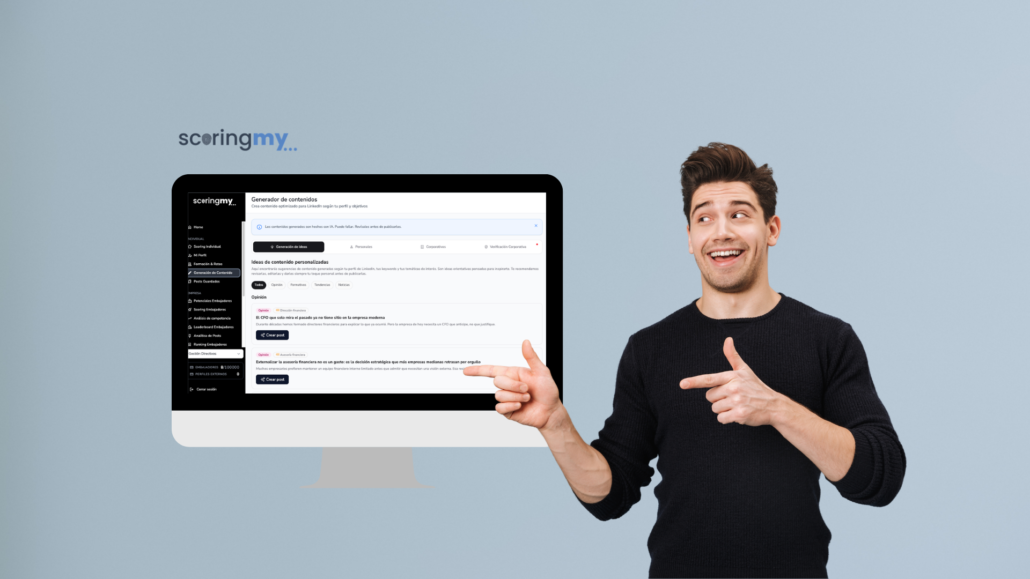
Scoringmy’s new content generator tackles those two barriers. It’s not a button that writes posts on its own. It’s a tool that helps each professional get started from wherever feels most natural to them, and gives them the confidence of being within their company’s boundaries before they publish.
Content built for each profile, not generic
The starting point is that not all professionals post for the same reasons or about the same things. The generator creates content optimized for LinkedIn based on each person’s profile and the goals they’ve set for themselves. A salesperson, a technician, and an executive don’t need the same kind of post, and the tool takes that into account.
From there, it offers three ways to kick off a post.
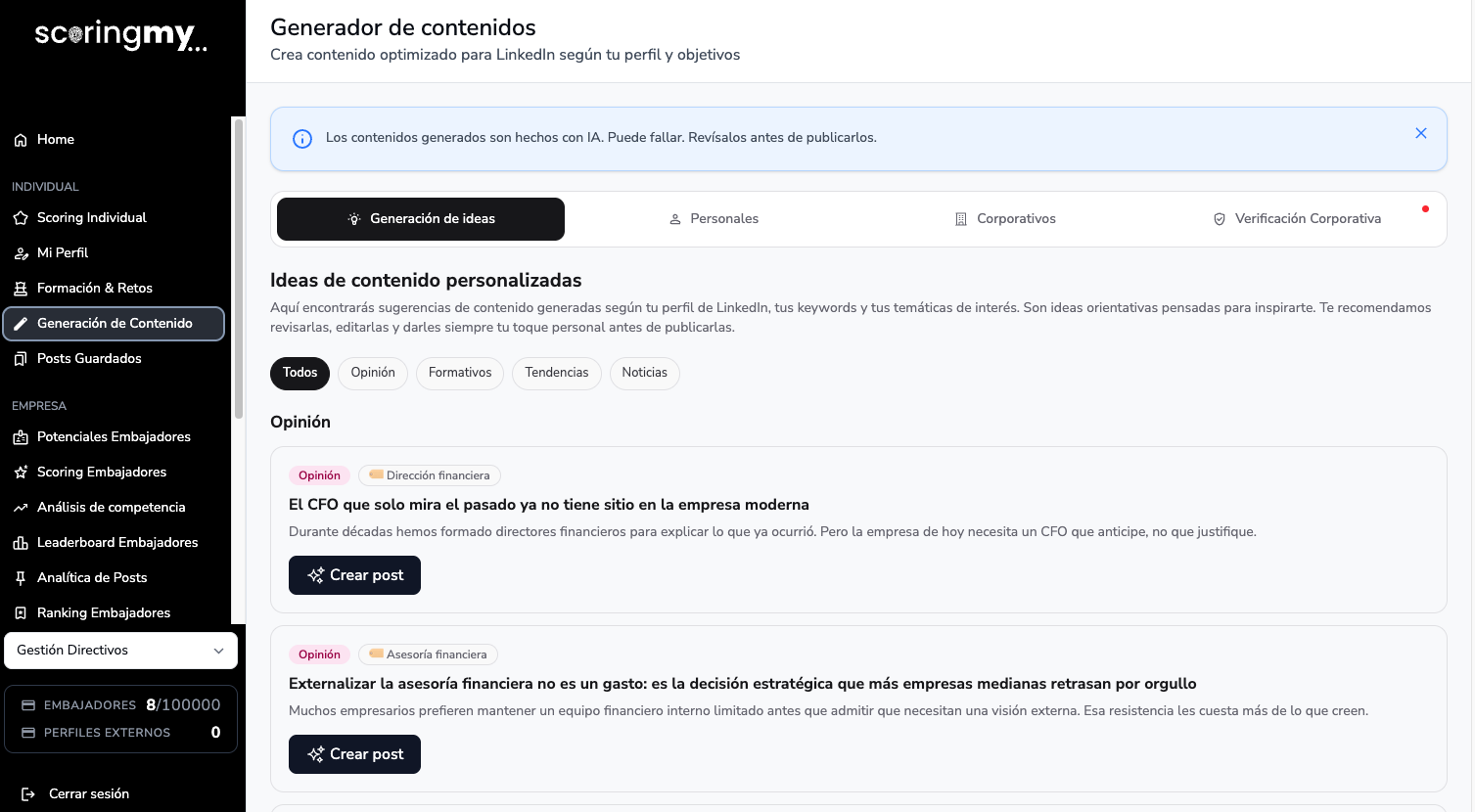
1. Idea generation
For anyone facing the blank page. The generator suggests post ideas across four different registers:
- Opinion: taking a stance on a topic in the industry.
- Educational: explaining, teaching, or sharing something the professional knows well.
- Trends: connecting with what’s happening in the market.
- News: reacting to what’s going on in the industry.
It’s not a random topic: these are angles aligned with the profile of whoever is going to post, so the post makes sense coming from that person.
2. Personal content
For anyone who already has something to say but needs help shaping it. Here the professional starts from their own material:
- A personal or professional reflection: an idea, an experience, or a lesson they want to share.
- A link: something they’ve read and want to comment on. Just paste the URL and the generator helps build the post around that read.
- A PDF: a document they want to summarize or analyze for their audience.
- An image: a photo or chart they want to comment on, and the generator suggests the text to go with it.
The idea is simple: almost everyone consumes content every day—articles, reports, images. This mode turns that consumption into material to post, without starting from scratch.
3. Corporate content
For companies that want to activate their teams without falling into “copy and paste.” The organization uploads posts it wants to spread, and each employee adapts them to their own style and tone before sharing.
This difference matters. A corporate post copied word for word by hundreds of employees is obvious, and it doesn’t work. The same message, rewritten by each professional in their own voice, is what turns an employee into an authority rather than a loudspeaker. The generator is built for the latter.
Corporate verification: posting with a safety net
The fourth piece is the one that solves the second big barrier: the fear of saying something inappropriate. Before publishing, the professional can check whether their post respects the red lines and strategic territories defined by their company.
For the employee, it’s the peace of mind of knowing they’re within bounds before hitting publish. For the company, it’s the assurance that activating its people doesn’t mean losing control of the message. Communicating stops being something only executives do and becomes everyone’s job—without giving up consistency.
Why we built it this way
For a long time, companies’ answer to the LinkedIn challenge has been training: a workshop, a webinar, a PDF of best practices, and then waiting for people to post. It rarely works, because it doesn’t remove the two real barriers.
The content generator starts from a different premise: activation isn’t about asking employees to post more, it’s about giving them something to start with and the confidence that they won’t get it wrong. That’s what we’ve tried to put in their hands.
This is just the beginning
What we’re presenting here is the big picture. Over the coming weeks, we’ll open up each part from the inside: how idea generation works, how personal content is handled, how corporate content is managed, and how the red lines for verification are configured.
If you’d like to see it in action, you can request a demo or go straight into the app.
Frequently asked questions
What is Scoringmy’s content generator?
It’s a feature that creates content optimized for LinkedIn based on each professional’s profile and goals. It offers three ways to kick off a post—idea generation, personal content, and corporate content—plus a verification layer against the company’s red lines and strategic territories.
What types of content can it generate?
It can start from ideas (opinion, educational, trends, and industry news), from personal content (a personal or professional reflection, a link the professional has read, a PDF to summarize or analyze, or an image to comment on), and from corporate content, where the company proposes a post and each employee adapts it to their own style before publishing.
What is corporate verification?
Before publishing, the professional can check whether their post respects the red lines and strategic territories defined by their company. It’s a safety net that lets them post with confidence without going outside the corporate communication framework.
Does the generator replace the professional’s voice?
No. The goal is to help you get started and give you confidence, not to publish automatically. The professional stays in control: they adapt, edit, and decide what to share. Corporate content, for example, is designed so that each employee rewrites it in their own style and tone.

